This Monday, my app Kash got rejected from submission to the App Store.
The reason in short: It didn't have support for anonymous users aka "Continue as Guest".
“The app requires users to register or log in to access features that are not account based.” App Store Guideline 5.1.1(v) - Account Sign-In
So I sat down and started thinking about how to implement this properly. Let me walk you through my thought process.
The Problem
My first ideas weren't great.
- Gating everything behind a feature flag or demo mode is not a good experience.
- Showing a locked app until sign-up was also not ideal.
I looked at Firebase Anonymous Auth. It looked promising, and I quickly realized it wasn't enough on its own.
Implementation-wise, it was trivial. I was already using Firebase Auth, so adding anonymous sign-in was just a few lines of code.
But when you think about it for more than five minutes, a lot of questions pop up:
- What happens if I end up with thousands of guest users?
- How do I clean up abandoned accounts?
- Do I allow write-heavy actions like importing data?
- If yes, what's the limit?
- How do I communicate that limit without being intrusive?
- What's the cleanest way to convert a guest into a real user?
- And how do I handle account linking correctly?
In the following sections, I'll cover how I approached these questions, what I ended up implementing, and what I learned along the way.
The Technical Implementation
1. "Continue as Guest"
This was the easy part.
On the sign-in screen, I added a "Continue as Guest" option. It simply calls the auth service to sign in anonymously.
From that point on, the app treats the user like any other - the only difference is that I can identify them using currentUser.isAnonymous.
private func signInAnonymously() {
        isLoadingGuest = true
        errorMessage = nil

        Task {
            do {
                try await authService.signInAnonymously()
                await MainActor.run {
                    isLoadingGuest = false
                }
            } catch {
                await MainActor.run {
                    isLoadingGuest = false
                    errorMessage = AuthError.from(error).errorDescription
                }
            }
        }
    }
2. Gating Write-Heavy Features
This is where things get more interesting.
I had to decide:
- Which features should be limited for guests?
- How much usage is “enough” to understand the app?
- How do I enforce limits without breaking flow?
I ended up with a 20-transaction limit and gating some other features for guests.
For example: when a user tries to import data, they will be prompted to sign in.
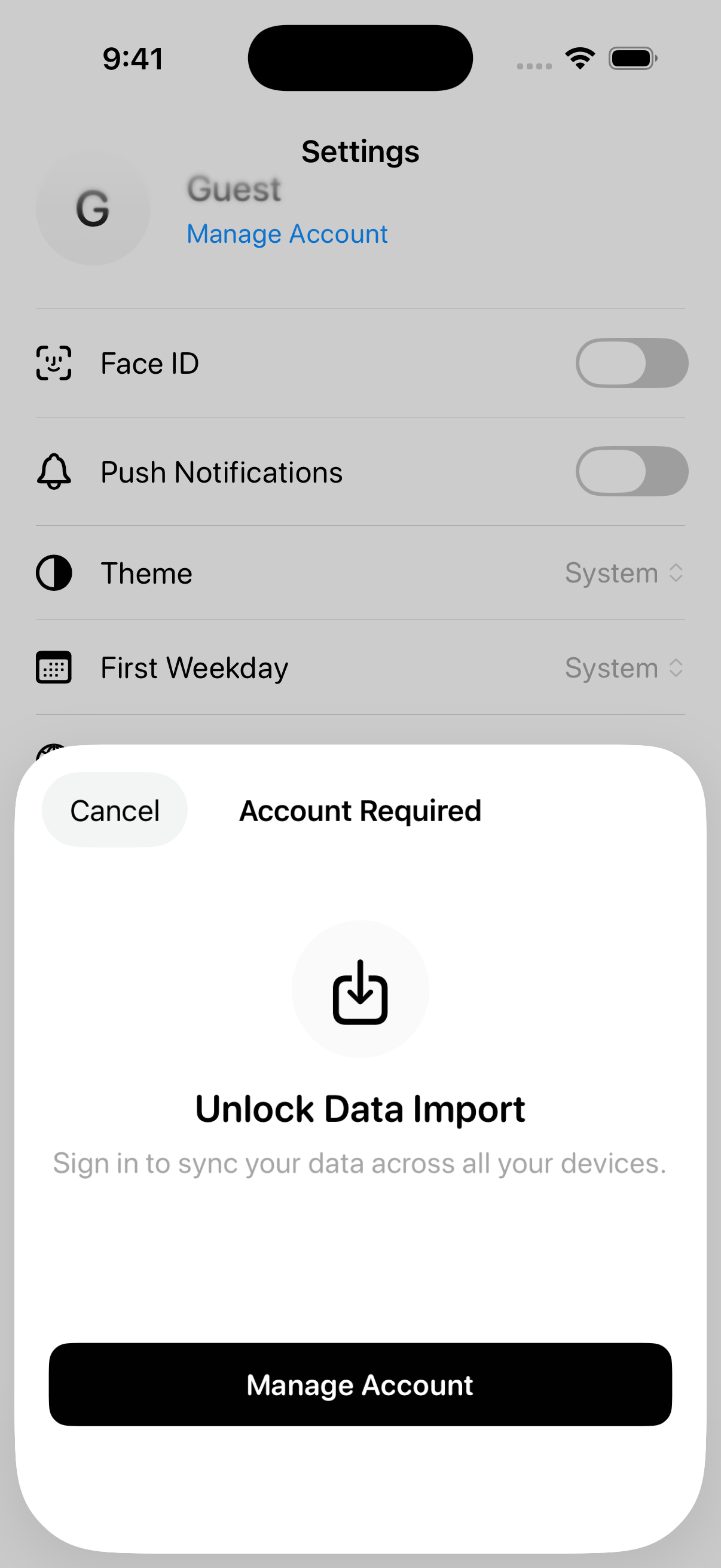
The transaction limit is enough for someone to understand the workflow, but small enough to encourage commitment once they actually start using Kash.
The logic itself was straightforward.
I used UserDefaults to track how many transactions a guest has created.
Before saving a new transaction, I checked whether the limit has been reached using a simple function:
func isGuestTransactionLimitReached() -> Bool {
    guard let currentUser = authService.currentUser,
          currentUser.isAnonymous else {
        return false
    }
    return guestTransactionCount >= 20
}
If the limit is reached, the user is prompted to upgrade and link their account.
No hard blocks. No popups on every screen.
Technically, users could uninstall and install the app again to reset the limit, but I think it's a fair trade-off for a temporary guest session.
3. The Upgrade Path (Account Linking)
This part matters the most.
No one wants to "create a new account" after already using the app. So instead of forcing sign-up, the upgrade path in Kash is based entirely on account linking.
Using user.link(with: credential) allows me to attach a permanent provider (like Apple or Google) to the existing anonymous user. All Firestore data created as a guest stays exactly where it is - no migrations, no merging logic.
func linkWithApple(credential: ASAuthorizationAppleIDCredential) async throws {
        guard let nonce = currentNonce else {
            throw AuthError.missingNonce
        }

        guard let appleIDToken = credential.identityToken,
              let idTokenString = String(data: appleIDToken, encoding: .utf8) else {
            throw AuthError.invalidToken
        }

        let oauthCredential = OAuthProvider.appleCredential(
            withIDToken: idTokenString,
            rawNonce: nonce,
            fullName: credential.fullName
        )

        guard let user = auth.currentUser else {
            throw AuthError.userNotFound
        }

        try await user.link(with: oauthCredential)
    }
When linking succeeds:
- The account is no longer anonymous
- The guest transaction counter is reset
- All Firestore data created during the guest session remains attached to the same user ID
This is the ideal path, and for new users, it just works.
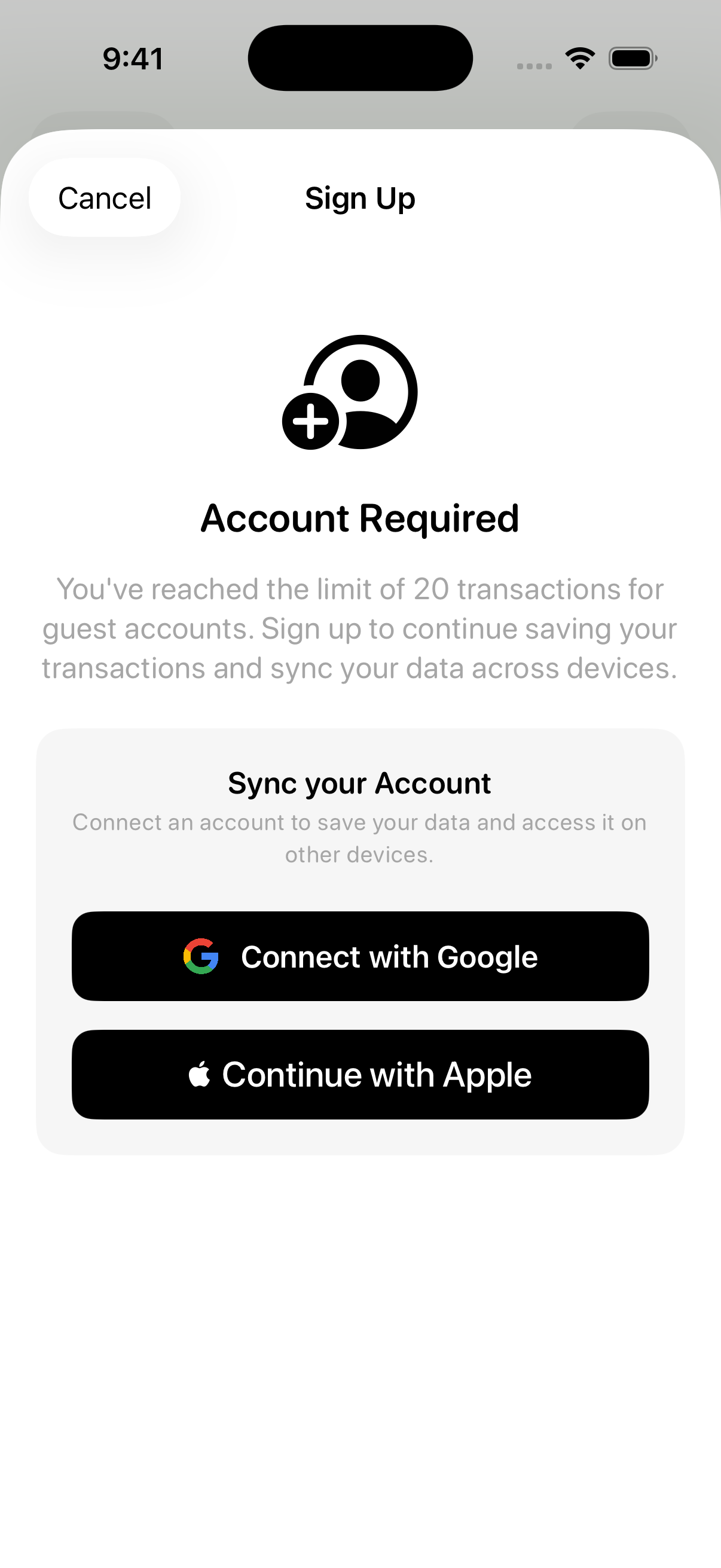
With Apple, catching an existing account during linking is a bit trickier. Apple Sign In uses a nonce, and once it's consumed during a failed linking attempt, you can't reuse it to sign in again. So the flow had to be different.
nonce is used to prevent replay attacks which is another thing i learned in the past during my offsec days.
For my security fellas out there, can you spot the vulnerability?
#include <stdio.h>
#include <string.h>

#define SECRET_KEY "my_key"

void compute_mock_hmac(const char* key, const char* msg, char* out) {
    sprintf(out, "HMAC(%s+%s)", key, msg);

}

int is_signature_valid(const char* msg, const char* provided_sig) {
    char expected_sig[100];
    compute_mock_hmac(SECRET_KEY, msg, expected_sig);
    return strcmp(expected_sig, provided_sig) == 0;
}


void process_transaction(const char* user, int amount, const char* sig) {
    if (is_signature_valid("pay", sig)) {
        printf("Transaction Success: Paid %s $%d\n", user, amount);
    } else {
        printf("Invalid Signature!\n");
    }
}

int main() {
    char valid_sig[100];
    compute_mock_hmac(SECRET_KEY, "pay", valid_sig);

    printf("--- Valid Request ---\n");
    printf("Generated Sig: %s\n", valid_sig);
    process_transaction("netanel", 100, valid_sig);

    printf("\n--- Replay Attack ---\n");
    process_transaction("netanel", 100, valid_sig);
    return 0;
}
Anyway, If linking fails due to an existing account:
- I have to sign the user out and have them sign in again with Apple
- I clearly warn them that their current guest data will be lost
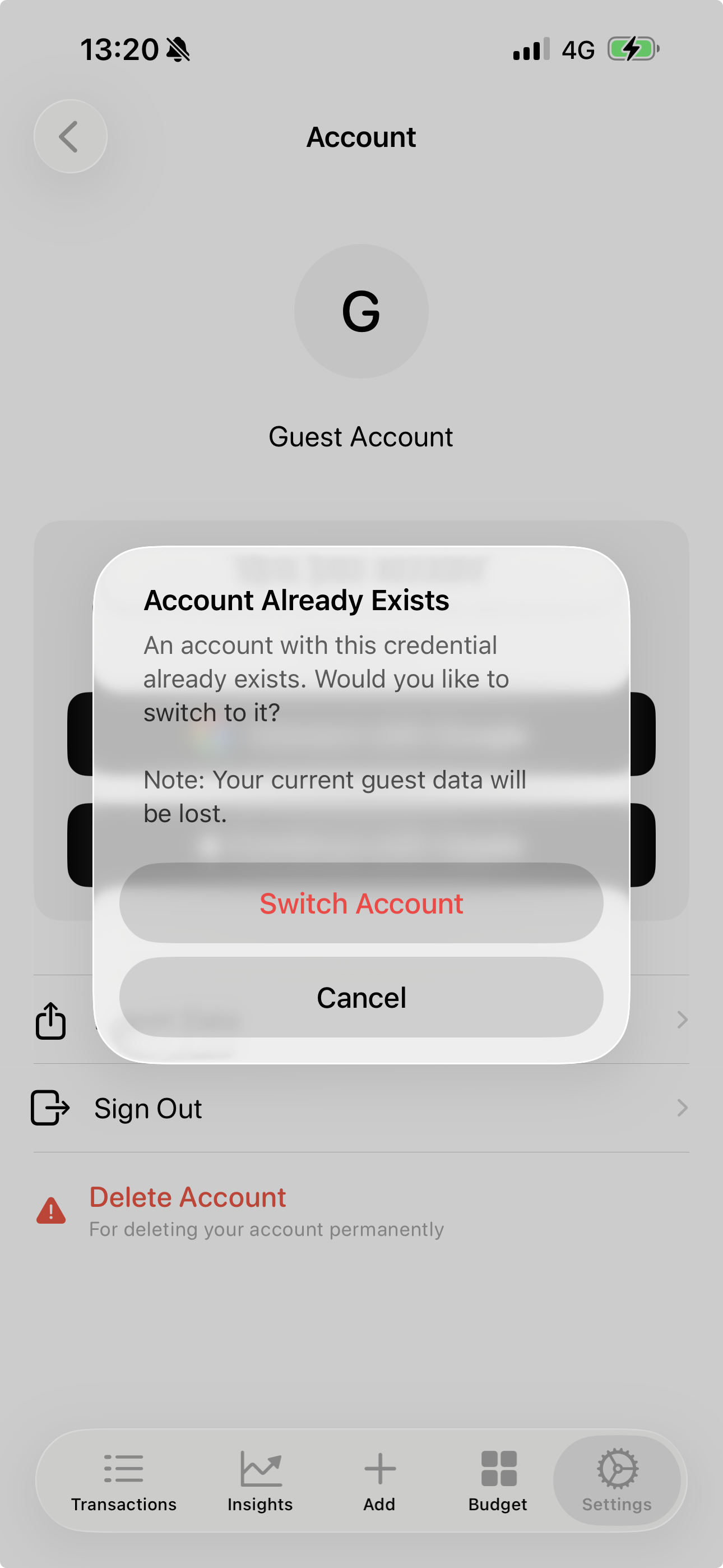
Apple: nonce is consumed, so you must sign out and have the user sign in again.
Google: tokens can be reused, so you can sign in with the same credentials after a failed link.
This isn't the most convenient flow - but it's honest. I'd rather be explicit than silently drop data or create duplicate accounts.
Handling Abandoned Guest Accounts
What about when a guest signs out or deletes the app?
By default, signing out just clears the local session - but that leaves data behind.
But if an anonymous user explicitly signs out, the app triggers an account deletion. That call then hits a webhook which recursively deletes the user's data. No shallow deletes, no orphaned documents, no junk users.
That's a fair trade-off for a temporary guest session.
A TTL for guest accounts, so after 90 days of inactivity, the account is deleted is also a great idea I'm considering adding.
To summarize
This ended up being a really nice exercise in both data management and user experience.
By using account linking instead of local-to-cloud migration, I avoided complex merge logic entirely. The transition from guest to permanent user is invisible.
All thanks to Firebase for the great documentation and examples.
If you want to check Kash out before it reaches the App Store, email me at hello@netanel.io for a TestFlight invite.